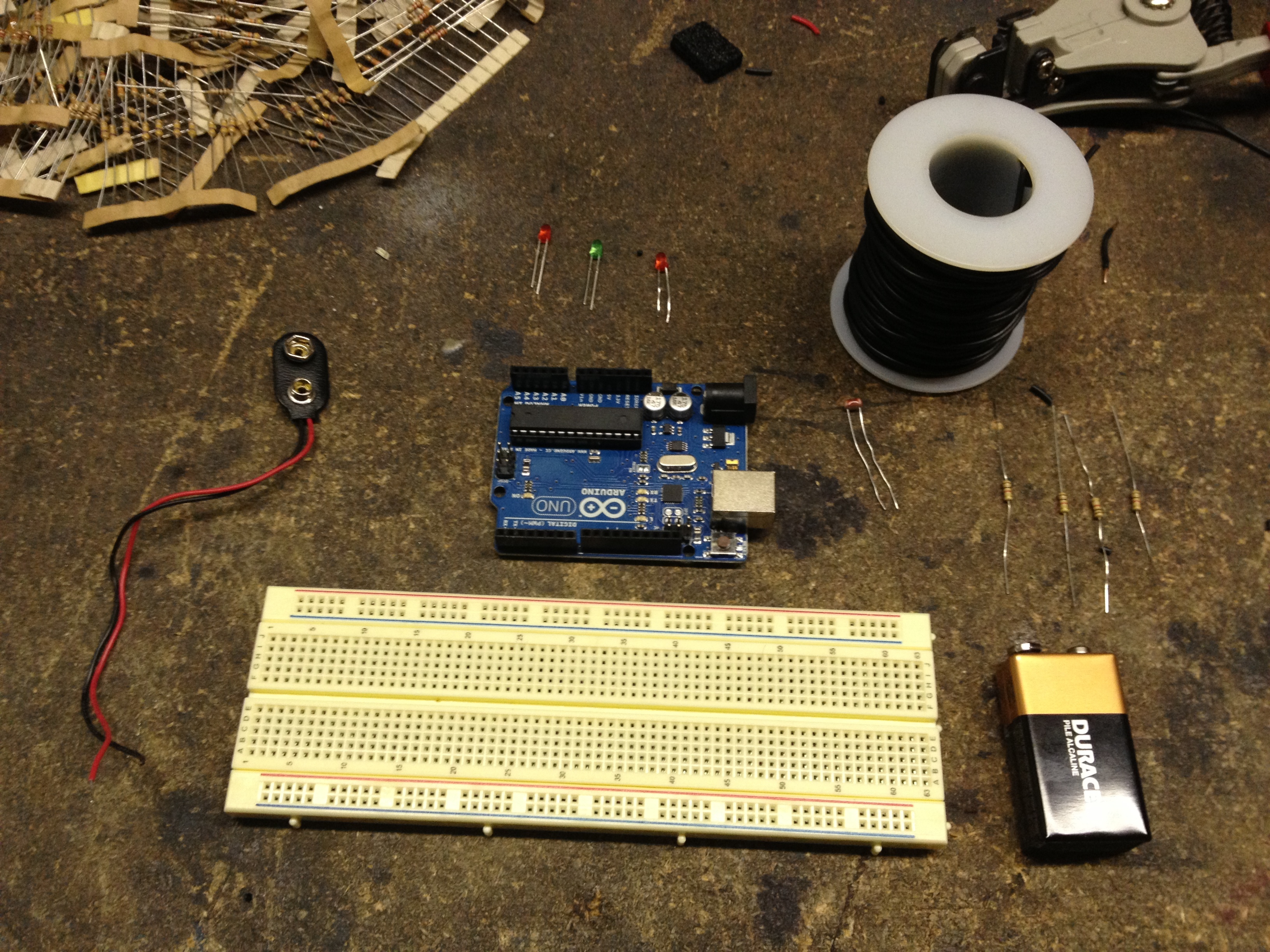
Are you kids scared of the dark? Do you spend a lot of time and effort setting up lights for your kids so that it is the perfect ambience for them to get to sleep? With this Arduino-Controlled Night Light from Andre you can very easily automate this process and never have to worry about setting a night light ever again. The project is very simple and uses an Arduino and a photodiode to automatically turn on a night light when it gets dark. You could very easily get all the parts to make this project in a quick (and cheap) trip to your local electronics store! Furthermore, you can easily customise this project to suit your exact needs. Although it is a very basic project, from a home automation perspective, it is sometimes the very basic projects that can provide the greatest benefit. To get started with this cool project check out the following link.
If you are looking for an Arduino board to power your night light, the SuperHouse team recommends the Freetronics “Eleven” Arduino Compatible Board, click on the link to find out more.
Want to keep in the loop about the latest in home automation? Subscribing to SuperHouse Automation on YouTube is the best place to start!
Are you are thinking about making your own night light? Have a project you would like us to feature in this blog? The team at SuperHouse Automation would love to know! Tell us about it in the comments section below or on Facebook and Twitter.
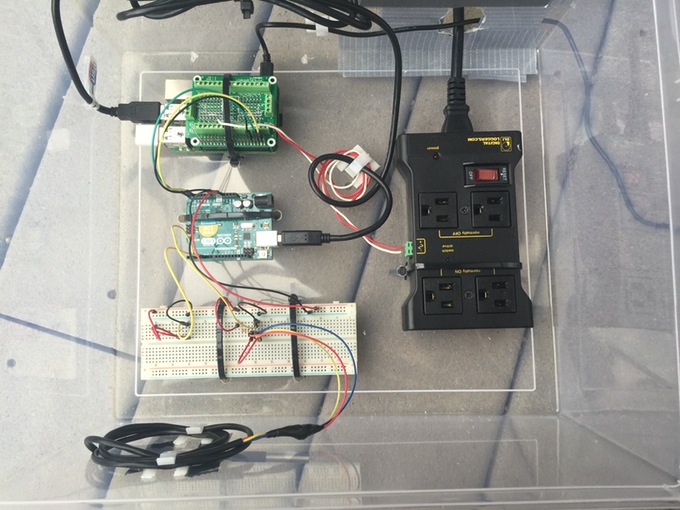
You may be wondering why you would ever want to connect your swimming pool to the internet? The answer is simple. Adding internet connection to your swimming pool allows you to monitor the temperature and water quality, and gives you precise control over the pump, filtering and heating systems! This pool collects data from a number of sensors which are fed into a Raspberry Pi via an Arduino. A relay then allows the system to have precise control over the workings of the pool based on the sensor inputs! Convinced? Check out the instructions Kevin has prepared to find out more!
Check out the video below to see it in action:
If you are working on a projected that requires interaction between an Arduino and a Raspberry Pi the team at SuperHouse Automation recommends the Freetronics PiLeven!
Want to get started creating your own home automation system? Subscribing to SuperHouse Automation on YouTube is the best place to start!
Love this project? The team at SuperHouse Automation would love to know! Let us know in the comments section below or on Facebook and Twitter.
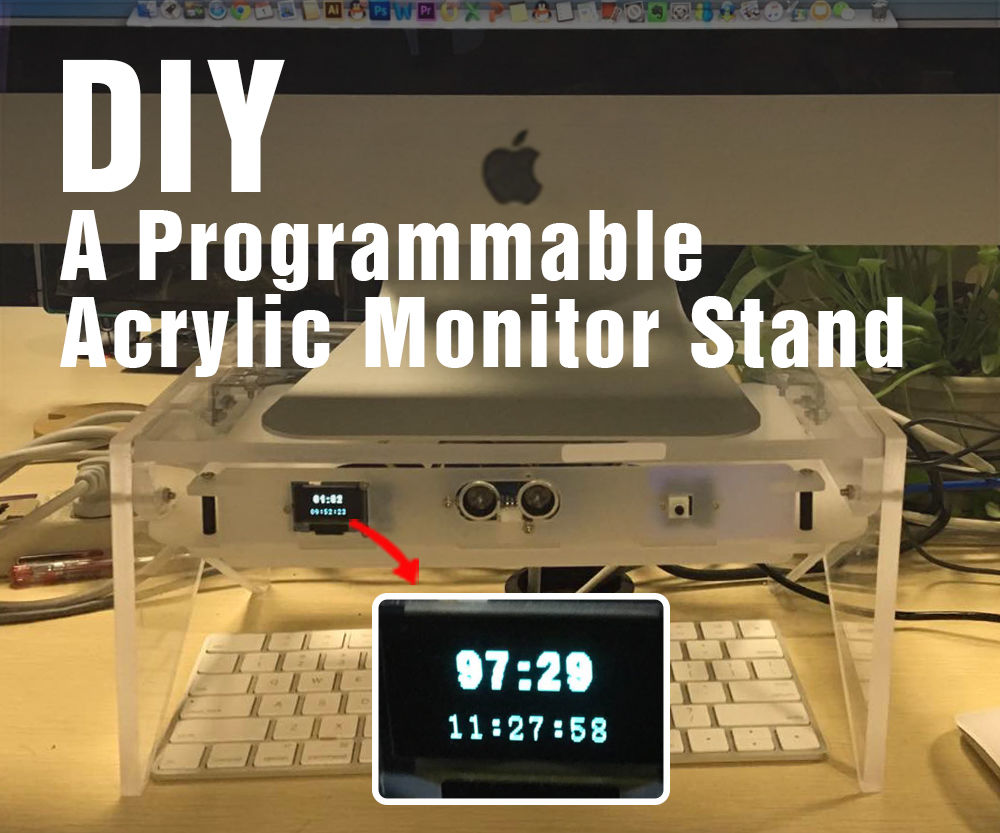
Do you spend hours in front of your computer each day? With this clever monitor stand from Seeed Studio you can not only raise your monitor to protect your back, but also be provided with useful statistics about how many hours you have been spending in front of the computer. The project uses an ultrasonic distance sensor to determine if someone is sitting at the computer, and a OLED display to provide feedback to the user.
There are lots of possibilities for extra functionality that can be added into the monitor stand, but even in its current form it is a great project that will help you to develop your maker skills, whilst still providing you with a very useful end product. This is perfect for use at home or in the office! To get started on this fantastic project, check out the following link.
If you are looking for an Arduino board to power your monitor stand, the SuperHouse team recommends the Freetronics “Eleven” Arduino Compatible Board, click on the link to find out more.
Want to keep in the loop about the latest in home automation? Subscribing to SuperHouse Automation on YouTube is the best place to start!
Are you are thinking about making your own monitor stand? Have a project you would like us to feature in this blog? The team at SuperHouse Automation would love to know! Tell us about it in the comments section below or on Facebook and Twitter.
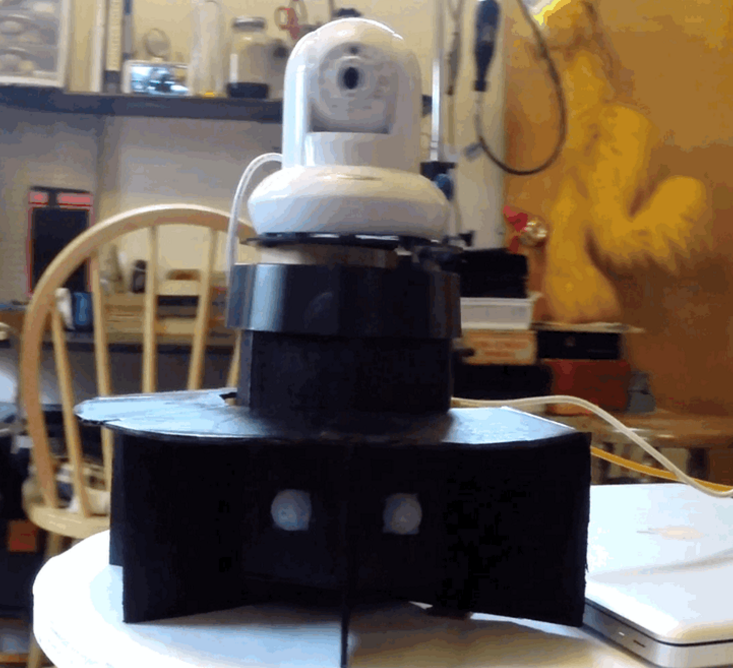
Do the blindspots in your static security camera system cause you to sleep uneasily at night? With this motion tracking camera system designed by Lindsay you can remove blind spots and ensure that your cameras will always be recording any intruders! The project uses a motion sensor and servo to rotate a camera to ensure it is always facing the action. To get started on this cool project check out the following link. Full instructions, schematics and source code have been provided so you should have everything you need to get started.
If you are looking for an Arduino board to power your night light, the SuperHouse team recommends the Freetronics “Eleven” Arduino Compatible Board, click on the link to find out more.
Want to keep in the loop about the latest in home automation? Subscribing to SuperHouse Automation on YouTube is the best place to start!
Are you are thinking about making your own night light? Have a project you would like us to feature in this blog? The team at SuperHouse Automation would love to know! Tell us about it in the comments section below or on Facebook and Twitter.
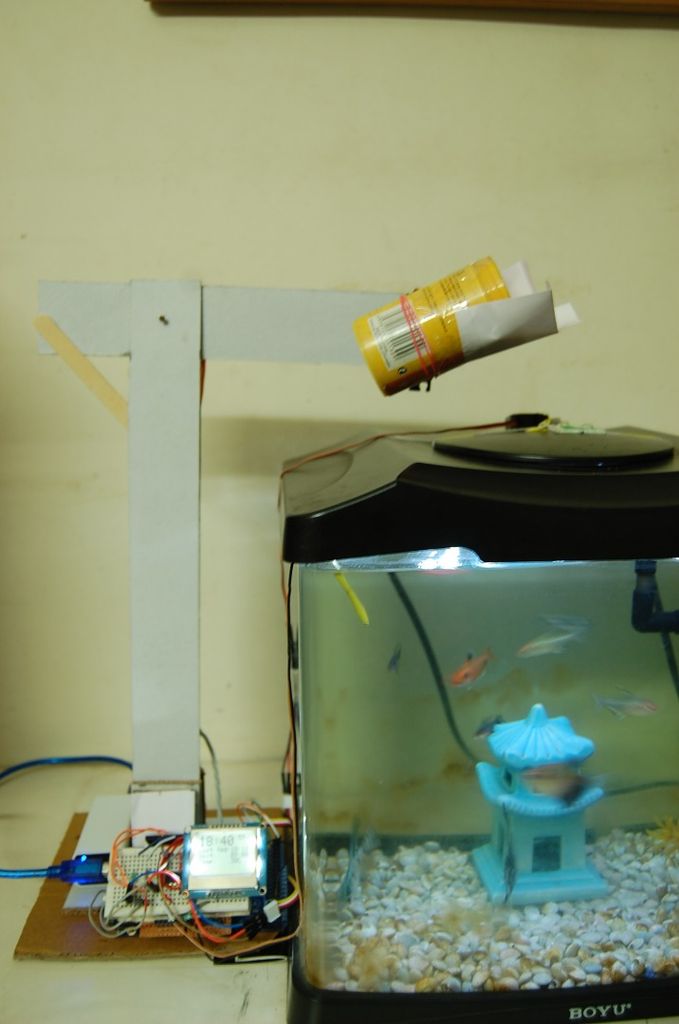
Do you ever forget to feed your fish? Are you sick of needing to organise someone to feed your fish when you go on holidays? With this awesome project from DangerousTim you can overcome all these problems and more! The fish feeder uses a clock to determine when the fish should be fed and two servo motors to dispense the food to the fish.
Additionally an LCD screen is used to provide information to the user. This project is sure to save you a lot of time and ensure that your fish are well fed, but never overfed! The instructions for this project are very comprehensive and can be found at the following link.
You could very easily incorporate the fish feeder into an existing automation system so that you can keep track of key aquarium statistics and adjust feeding patterns remotely.
Want to learn more about awesome automation hacks like this? Subscribing to SuperHouse Automation on YouTube is the best place to start!
Thinking about making your own automatic fish feeder? Have a project you would like us to feature in this blog? The team at SuperHouse Automation would love to know! Tell us about it in the comments section below or on Facebook and Twitter.
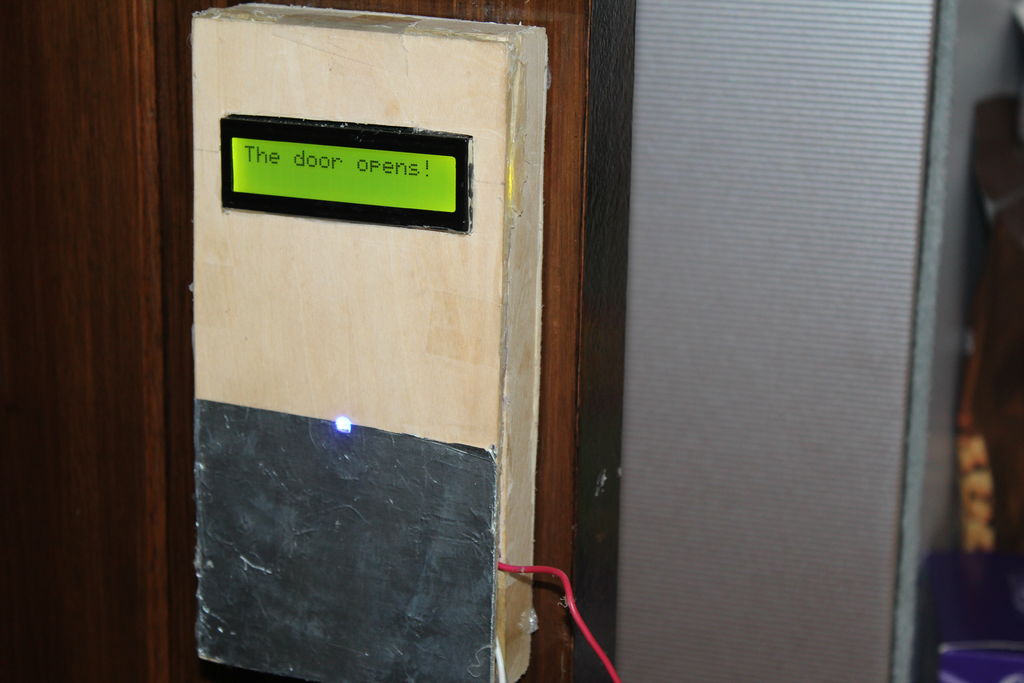
Do you struggle to open your front door while you are carrying the groceries inside? Do you have elderly parents who could benefit from an automatic door? With this project from Saral Tayal you can add a motor to any door around your house for effortless opening.
The door opener uses an Arduino to control a geared motor which opens the door and an LCD which provides feedback about the door status. Check out the video below to see the door in action!
This is a really cool project and has a lot of potential to be integrated into an existing home automation system. To get started check out the following instructable.
Want to learn more about awesome automation hacks like this? Subscribing to SuperHouse Automation on YouTube is the best place to start!
Thinking about making your own automatic door? Have a project you would like us to feature in this blog? The team at SuperHouse Automation would love to know! Tell us about it in the comments section below or on Facebook and Twitter.
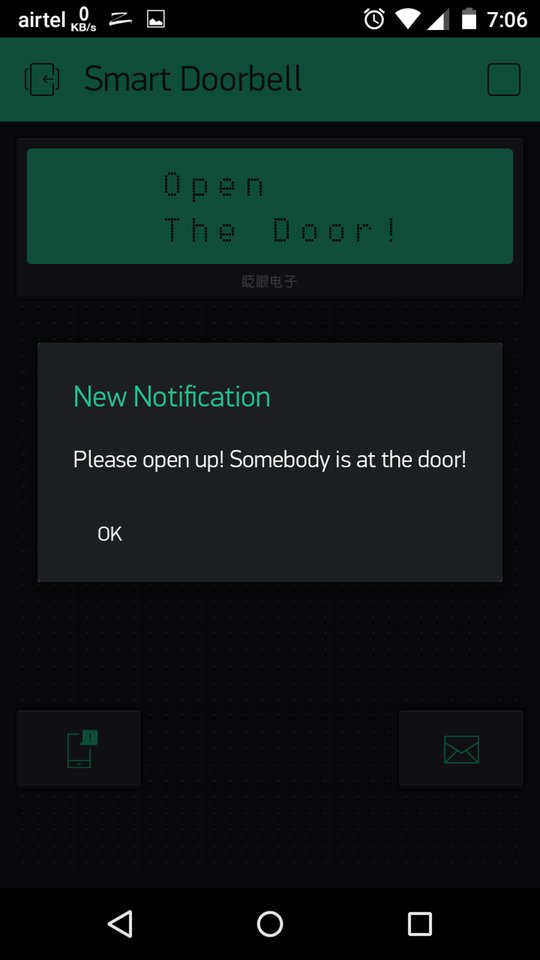
Do struggle to hear your doorbell while you are outside or along way from your front door? With this project from the ArduinoProjectHub you can make sure that you never miss a visitor ever again! The smart doorbell will notify you on your smartphone or computer when your doorbell has been pressed. The doorbell uses an Arduino and an Ethernet shield so that the notification can be sent over the cloud.
This project is quite simple and easy to make but has a lot of potential to be integrated into an existing automation system. For example, when the doorbell is pressed you could easily have your home automation system automatically display vision from a security camera located near your front door so you can see who is at the door. To get started with this cool project check out the following link.
Want to keep in the loop about the latest in home automation? Subscribing to SuperHouse Automation on YouTube is the best place to start!
Are you are thinking about making your own hidden kitchen shelf or do you have a project you would like us to feature in this blog? The team at SuperHouse Automation would love to know! Tell us about it in the comments section below or on Facebook and Twitter.
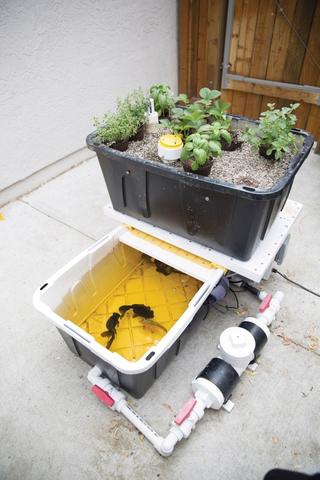
Aquaponics is a unique system of raising fish and growing plants together. At a basic level, the fish fertilize the plants, allowing plants to grow in a water saving, chemical free environment. However, developing effective aquaponic systems can be very difficult. This is why Rik Kretzinger has added an Arduino into his aquaponic garden to make things run as smoothly as possible. Adding an Arduino allows the garden to be fully automated with various pumps controlled by the data inputted by water level, humidity, temperature and moisture sensors. The project even allows you to control and log data from your garden over the internet! The aquaponic garden allows you to combine the joy of making with the satisfaction of growing your own veggies! Although the project requires a number of parts to get started, it could be a worthwhile investment in the long run with likely savings from growing your own produce. To get started building your own aquaponics garden check out the following link. The project is extremely well documented and provides many useful tips to ensure that your garden is as productive as possible.
Want to get started creating your own home automation system? Subscribing to SuperHouse Automation on YouTube is the best place to start! Started on your own home automation project? The team at SuperHouse Automation would love to know! Let us know in the comments section below or on Facebook and Twitter.
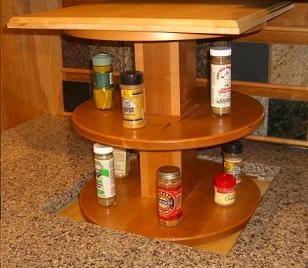
Have you ever wished that with the push of a button you could have your spice rack pop up out of your bench? Probably not! However at SuperHouse Automation we still think this is a very intriguing and unique project. Inspired by a customer request, Firgelli Automations have developed a kitchen modification allowing you to have a pop-up shelf on your bench top.
The shelf could be used for all sorts of things such as a microwave, toaster, wine, cutlery or spices and would be a really novel addition to any kitchen. The project uses an actuator to “pop up” the shelf and when hidden you wouldn’t even know that the shelf was there. Although not covered in the instructable, you could very easily control the lifting mechanism from a microcontroller such as an Arduino or the D1 Mini giving you even greater flexibility.
Want to keep in the loop about the latest in home automation? Subscribing to SuperHouse Automation on YouTube is the best place to start!
Are you are thinking about making your own hidden kitchen shelf or do you have a project you would like us to feature in this blog? The team at SuperHouse Automation would love to know! Tell us about it in the comments section below or on Facebook and Twitter.
Do you ever find yourself inside your ceiling or under the floor working on your home automation system, and need to SSH to a remote machine or re-flash an Arduino?
Sure, you could drag your laptop under there with you, but I don’t want to have my expensive laptop lying around in the dirt or insulation.
I may have found the answer.
C.H.I.P. and Pocket C.H.I.P. will be available soon from getchip.com.
The following sequence got everything working for me. You may want to do things a little differently, for example by managing the python-serial extension using Pip or storing your sketches in a different location. That’s totally up to you, just make sure you alter the paths shown below as necessary.
Start by making sure your package list is up to date, and that you have the latest packaged Arduino and Python serial extension installed on your C.H.I.P.:
There’s nothing unusual about the Blink sketch. It’s just standard Arduino code that you could compile with the regular IDE. The magic is invoked through the Make file.
Open the Make file in your favorite text editor, and you’ll see that it looks like this:
BOARD_TAG = uno
ARDUINO_LIBS =
include ../../Arduino.mk
The “BOARD_TAG” value specifies that you want to compile it for an Uno or compatible board. You can change this to match other boards found in the Arduino board hardware definition file, which is located at /usr/share/arduino/hardware/arduino/boards.txt. In that file you’ll find other handy board types that I’ll list at the end. For now, we’ll assume that you’re using an Uno and leave that unchanged.
The “ARDUINO_LIBS” value allows you to specify a path to your own custom libraries in case you need them linked during compilation. We’ll ignore that for now, so leave that line unchanged.
The “include” line is a problem. It assumes the project is still located in the shared location where it was installed by the package, but we’ve made a copy in our local sketchbook. To fix that, change the “include” line to read:
include /usr/share/arduino/Arduino.mk
There are many other options you can add to the Make file to override the default settings within Arduino. For example, you can define the path to a specific version of AVRDUDE if you want to bypass the version that’s bundled with the Arduino environment.
But for a minimal example, you don’t need to change anything else.
Now you can compile the sketch, and upload it to your Arduino. To compile the sketch without attempting to upload it, just type:
make
That’s it! Can’t be much simpler. If there are any compilation errors, you’ll see them in the terminal.
To upload (and automatically compile if necessary) make sure your Arduino is plugged into your Pocket C.H.I.P. using a USB cable, and type:
make upload
You’re all done! Your sketch should now have been uploaded to your Arduino.
There are other commands available as well. Check out the Arduino-MK documentation for more information:
These are all the board tags list in the standard /usr/share/arduino/hardware/arduino/boards.txt file:
uno: Arduino Uno
atmega328: Arduino Duemilanove w/ ATmega328
diecimila: Arduino Diecimila or Duemilanove w/ ATmega168
nano328: Arduino Nano w/ ATmega328
nano: Arduino Nano w/ ATmega168
mega2560: Arduino Mega 2560 or Mega ADK
mega: Arduino Mega (ATmega1280)
leonardo: Arduino Leonardo
esplora: Arduino Esplora
micro: Arduino Micro
mini328: Arduino Mini w/ ATmega328
mini: Arduino Mini w/ ATmega168
ethernet: Arduino Ethernet
fio: Arduino Fio
bt328: Arduino BT w/ ATmega328
bt: Arduino BT w/ ATmega168
LilyPadUSB: LilyPad Arduino USB
lilypad328: LilyPad Arduino w/ ATmega328
lilypad: LilyPad Arduino w/ ATmega168
pro5v328: Arduino Pro or Pro Mini (5V, 16 MHz) w/ ATmega328
pro5v: Arduino Pro or Pro Mini (5V, 16 MHz) w/ ATmega168
pro328: Arduino Pro or Pro Mini (3.3V, 8 MHz) w/ ATmega328
pro: Arduino Pro or Pro Mini (3.3V, 8 MHz) w/ ATmega168
atmega168: Arduino NG or older w/ ATmega168
atmega8: Arduino NG or older w/ ATmega8
robotControl: Arduino Robot Control
robotMotor: Arduino Robot Motor
You can also use custom board profiles, but that’s beyond the scope of this post! Most common Arduino compatible boards match something on this list. For example, the Freetronics EtherMega operates just like an Arduino Mega with a 2560 processor, so you’d select “mega2560” as the BOARD_TAG in the Make file.
Update 6 Jan 2017: Quick Setup Script
My friend Alec has written a script to simplify the process of installing the packages I used in the video and also to fix a few things he doesn’t like about the default setup. His script installs the necessary packages, blocks root access to the terminal and SSH, locks the root account, changes the default password, changes the hostname, and forces public key authentication via SSH. Definitely worth a look: